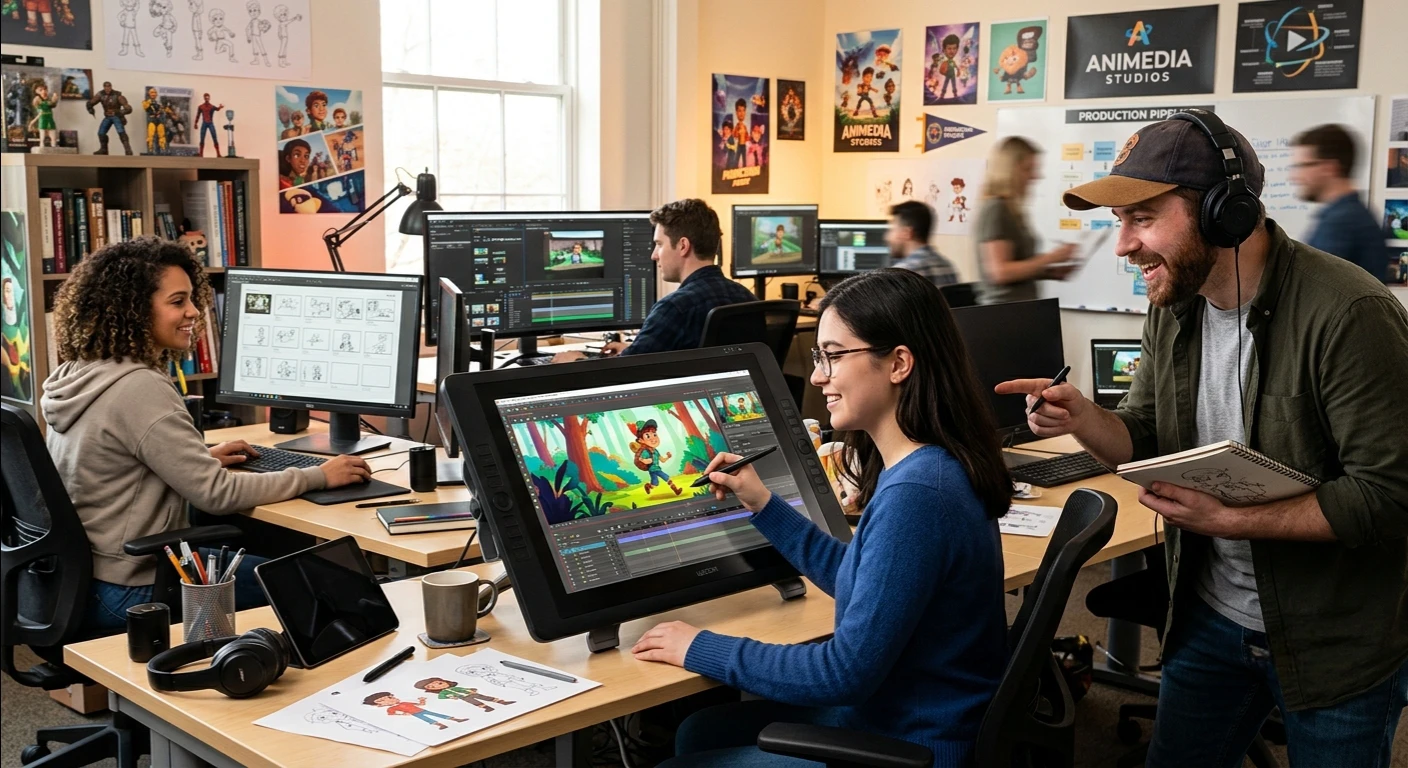
Looking to make an impact with an animated video for your brand, business or project?
2026 is the year of easier ideas to come alive with engaging visuals, thanks to the latest animation technology.
In this step-by-step guide to animated video production, you will learn every step of the process. It starts with planning and concept development and ends with the finished video. If you want to learn about 2D animation video production, this guide can help. It also shows how to make an animated video thumbnail.
Animated Video Production Process
Here are the essential 13 steps to produce outstanding and brand-related animations that connect with the readers.
Step 1: Discovery & Briefing
A plan is a fundamental component of any animation video that will be successful. The first step will be setting objectives and target audiences and developing key messages. Ask yourself:
- What is your interpretation of the video?
- Whom is the writing intended for?
- What is the action you want the viewers to take?
A Project Brief with good communication ensures that everyone is on the same page and helps to set the course for the process. Additionally, research the competition and draw inspiration from it!
Step 2: Concept Development
Then brainstorm some creative ideas and choose the idea that you can use. This can be an entertaining explainer, product demonstration or brand story. The idea will affect the style, tone and structure of your video.
By 2026, many teams will use AI tools to brainstorm and generate new concepts. They will also explore other animation styles.
Step 3: Script Writing
Animated videos are always derived from a solid script. Write a concise script that is clear and cuts to the point to convey your message effectively.
Be concise, in simple terms and focus on your readers’ benefits. You should never be afraid to rewrite your script several times until you have as clean and polished a script as you can.
Step 4: Creating The Website design
Now, it’s time to decide how your video will look. Designers make style frames, or sample images illustrating the colors, personalities, and atmosphere.
In the case of creating 2D animation videos, consistency of images is crucial during this process. Accept a style and then move forward to avoid the costly changes later.
Step 5: Storyboarding
A storyboard is a comic strip format outline of your video. It describes the scenes in turn, what happens in them, and when. Storyboarding is useful for visualizing a shot sequence and planning camera angles and for foreseeing issues or problems.
In today’s world, most teams rely on digital devices with AI features. These tools can speed up the process and manage the details.
Step 6: Animatic Creation
An animatic is a basic version of your video. It uses storyboard images with temporary voice and music tracks. This can help you make sure that you’re going to work with the timing and pacing before the entire animation begins. In this phase, it is quite easy to make changes as compared to the animation completed stage.
Step 7: Voiceover Recording
Choose an expert voice over artist to match your brand and your message. Get a recording of the final script, match it with your animatic. A good voice over can help make your video more relatable and add some character to it.
Step 8: Assets Design
After the style and storyboard are approved, the artists create all visuals.
These include characters, backgrounds, props, and more.
If producing a video of 2D animation, this can encompass frame by frame drawings, rigging of the characters with digital bones or simply drawing in vector graphics and scaling in a smooth manner.
Step 9: Animation
Here the magic is about to happen! Animators bring your visuals to life—they give the visuals motion, transitions and effects.
AI will automate repetitive processes like in-betweening and lip-sync by 2026, making them faster and more creative.
The concept is to create animation that is both smooth and expressive, moving through frames, rigged or motion tweened, in order to tell your story.
Step 10: Sound Design and Music
Your video is more interesting and enjoyable with music and sound effects. Select music that is appropriate to the mood and use the sound effects to emphasize important actions. Sound design helps many people view your video.
Step 11: Review, Feedback, and Revisions
Provide a draft video to stakeholders, and solicit feedback. Be receptive to ideas and undertake the required modifications in order to enhance the end product. Most projects have many revisions so that there are no problems getting everything right.
Step 12: The Final Rendering & Delivery
Once the video is approved, convert from the approved video format to your preferred format (HD, 4K, square, vertical, etc.). Provide the client with final files or upload to the website(s) of preference. Remember to make a variety of versions, should you want to post on several channels.
Step 13: Post-Production Enhancements
Improve site accessibility by providing text alternatives, writing alternate endings or modify the site for platform. It’s also the time to create promotional content such as thumbnails and social media teasers.
How to Make an Animated Thumbnail of a Video?
Thumbnails are also animated, which attracts attention and increases the level of click-through, particularly in emails and on landing pages. Here’s a simple procedure:
- Pick a short segment from your video that is interesting and easily captures attention (2-5 seconds long is ideal).
- Use a GIF maker like Covideo, Adobe Photoshop or Canva to create a GIF from the clip.
- Add a play button for the indication that it is a video.
- Avoid creating very large files (less than 2MB) to load quickly.
- You can paste the GIF in your email or website to send it to the video.
Note: Most social media sites support static thumbnails, while animated thumbnails are compatible with emails and your website.
The Best 2D Animation Video Production Tools for 2026
- Adobe Animate: The industry standard in vector and raster animation.
- Toon Boom Harmony: Major studios are using it for rigging, frame-by-frame and cutout animation.
- Anime Studio is a great animation rigging software for creating characters with Moho.
- OpenToonz is free and open source, and Studio Ghibli uses it.
- The use of Clip Studio Paint: Great for hand-drawn animation.
- Easy to use: Toonly, Vyond (quick, template-based videos).
The tools can help streamline the existing processes like AI-powered animation, cloud collaboration, and easy social media export.
Wrap-Up
The animated video production step-by-step guide in 2026 is a must-read for producing engaging and high-quality animated videos with ease. In doing so you can bring your ideas to life and communicate them in the most compelling new ways, with only the latest tools and techniques.
As a busy business owner, you may not have the time to create all these business promotional videos, so we are just a message away! See our video animation services.